

PDFs guide
How to Print Ayushman Card Online — PM-JAY PDF Crop and A4 Layout
A raw PM-JAY download is a full A4 page, not a wallet card. Here is how CSC, hospital help desks, and cyber cafés crop golden cards to PVC size and print several on one sheet — all in the browser, nothing uploaded.
By Pixelandpdf · Published · Updated · 11 min read
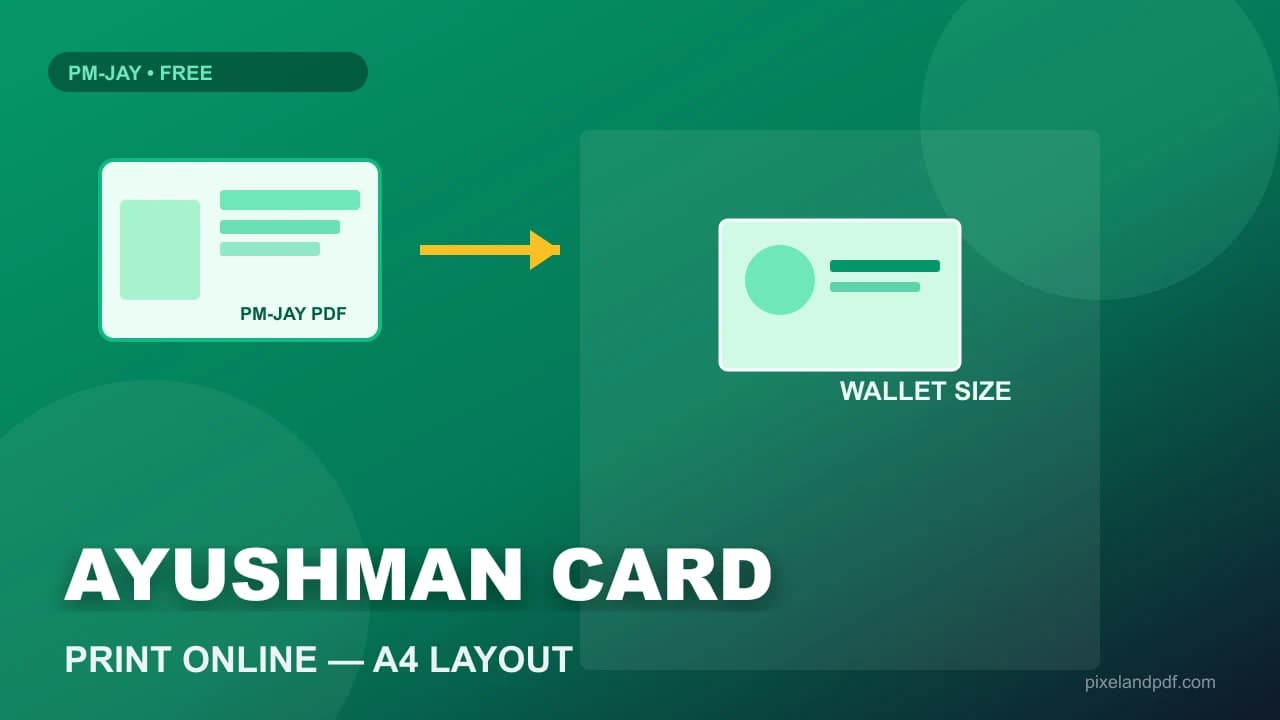
Ayushman Bharat beneficiaries often arrive at a CSC or hospital help desk with a PM-JAY PDF on their phone and a simple request: print this golden card so it fits in a wallet or goes through the PVC machine like Aadhaar. The official download is a full A4 page — logos, margins, and a small card graphic floating in the centre. Printing that file directly wastes laminate, produces the wrong scale, and forces the operator to crop by eye while the family waits in a corridor.
Print Ayushman card online the practical way means cropping front and back to smart-card proportions, packing up to five beneficiaries on one 300 DPI A4 sheet, and sending a flat image to the printer or PVC cutter. BIS 2.0 and state Setu portals export slightly different margins, so a fixed template breaks; you need a portal that previews the crop, lets you nudge sliders, and stays entirely in the browser so medical-adjacent IDs never upload to a third party.
This guide covers the full desk workflow: downloading from PM-JAY with mobile OTP, one-page versus two-page PDF layouts, Ayushman card print size for PVC, batching family members on one sheet, and what to do when a rare file is password-locked. Everything runs client-side on PixelAndPDF — the same privacy model CSC operators already use for Aadhaar print jobs.
Quick steps
- Download the Ayushman / PM-JAY PDF from the official beneficiary portal using OTP on the registered mobile — this tool does not fetch cards by phone number.
- Open the Ayushman card print portal, upload the PDF, and tap View Card to check front and back crop in the preview.
- Use Adjust if the golden card sits too high or low — BIS and Setu templates drift — then Confirm & Add; repeat for family members up to five cards.
- Choose 4, 6, or 8 slots per A4 and tap Print All for the browser dialog, or Download only for a 300 DPI sheet file.
- Clear Downloads on shared CSC or hospital PCs when the beneficiary leaves — treat PM-JAY PDFs like any other health ID.
Why Ayushman card print online needs a crop desk, not a raw PDF print
PM-JAY and Ayushman Bharat golden card downloads are built for verification on screen, not for card manufacturing. The PDF includes scheme branding, beneficiary details, and a card graphic that occupies a fraction of the page. Sending that file straight to a photo printer or PVC machine produces a postcard-sized card in the middle of an A4 sheet — unusable for standard CR80 cutters and embarrassing when the hospital asked for wallet-size plastic.
Searchers looking for Ayushman card print online or an Ayushman card print portal want the opposite: tight smart-card crop, front and back aligned, several family members on one sheet, and a workflow that does not require installing Bis 2.0 desktop utilities on every cyber-café PC. Camp enrolment days can bring twenty PDFs before noon; eyeball cropping does not scale.
Medical-adjacent documents deserve the same hygiene as Aadhaar. Uploading PM-JAY PDFs to random free print sites stores beneficiary names and ID numbers on someone else's disk. A browser-only Ayushman card crop and print flow keeps layout on the machine that already has the file — close the tab and session copies are gone.
- Official PM-JAY PDF ≠ PVC-ready artwork — crop before print.
- One-page PDFs may contain front and back side by side; two-page files use page 1 and 2.
- Camp queues need batch confirm-and-add, not one Print click per beneficiary.
- Prefer local processing over upload portals for health ID privacy.
Fastest method: Ayushman card print portal in your browser (no upload)
The shortest route for a hospital help desk or CSC operator is a dedicated Ayushman card print portal that runs entirely in the tab. Upload the PDF from the official download, View Card to preview the crop, Confirm & Add to build a short list (up to five cards), then Print All or download a 300 DPI sheet. No account, no watermark, and on PixelAndPDF no server upload.
One-page BIS exports often place front and back on the same sheet; the engine splits them automatically. Two-page files use the first page as front and the second as back. When state portals change margins after a BIS update, Adjust sliders for Top, Height, Width, and horizontal offset rescue the preview without re-downloading from the government site.
Use the Ayushman card print studio for this workflow. Pair it with Aadhaar card print when the same family needs both documents — finish one document type, download, clear the queue, then load the next so names never cross-contaminate on a shared sheet.
- Confirm & Add supports up to five beneficiaries before Print All.
- 300 DPI A4 export suits PVC cutters and photo laminators.
- Works in Chrome and Edge on typical CSC laptops without install.
- Download-only option when the print PC is offline from the layout PC.
Ayushman card print size, PVC finish, and layout density
Standard Ayushman card print size online matches credit-card proportions — about 8.56 cm × 5.4 cm (CR80-style) on a 300 DPI raster. That is what PVC shops, Magicard-style printers, and hospital file wallets expect after you cut or feed the sheet. Printing below 200 DPI saves ink but produces soft faces on laminate — customers notice, and reprints eat margin.
Layout density is a shop decision. Four cards per A4 leaves bleed for hand trimming and corner rounding. Six cards suit fixed cutter guides. Eight cards maximise paper when you are doing quick handouts rather than premium PVC. Golden card artwork includes fine security patterns; over-packing without preview causes the cutter to clip the PM-JAY logo.
Ayushman card PVC print online on this site means preparing artwork, not issuing a new government card. Enrolment, corrections, and mobile-number downloads stay on official PM-JAY channels. If the source scan was blurry because someone photographed a screen, say so before promising a premium plastic finish — crop tools do not invent detail.
Ayushman card download by mobile number — then print on your desk
People search Ayushman card download by mobile number when they need the official beneficiary login — OTP to the registered mobile, then download the PDF from PM-JAY or a state Setu portal. PixelAndPDF does not fetch cards from the government database and cannot look up a beneficiary by phone. That separation is deliberate: download stays on the trusted portal; crop and print stay on your desk machine.
Once the PDF is on the PC, use the browser print portal instead of WhatsApping files to a personal phone for evening printing. Hospital and CSC policy often treats health IDs like KYC documents — minimise copies, delete Downloads when the visit ends, and avoid cloud forwarding.
Rare PM-JAY exports arrive password-locked. Unlock with the Unlock PDF tool when you know the password, then return to the Ayushman studio. Oversized colour booklet backgrounds sometimes exceed 25 MB; Compress PDF to 200KB is the wrong tool for print quality — instead re-download or split only if the browser genuinely cannot load the file.
- Download: official PM-JAY / state portal with OTP — not this print page.
- Print: bring the PDF here after download completes on Wi-Fi.
- Do not WhatsApp PM-JAY PDFs to personal phones for later printing.
- Password-locked files: unlock locally, then crop and print.
CSC camp workflow: batching families and clearing the queue
Village health camps often send families in groups — spouse, children, elderly parents — each with a separate PM-JAY PDF on one phone. Confirm & Add lets you queue up to five cards before generating one A4 sheet, saving paper and operator time compared with five separate print jobs.
Mixed queues (Ayushman plus ABHA health ID plus Aadhaar) are common at integrated CSC desks. Process one document type completely: download sheets, clear the tool list, then start the next type. Cross-contaminating crop profiles is how the wrong beneficiary name lands on the wrong laminate.
Honest caps keep café PCs alive: about 25 MB per file and five cards on the print list. A hundred-PDF dump onto a tablet will spike memory — batch by village or by ten families, not by entire district enrolment in one browser tab.
Troubleshooting: wrong crop, print dialog scale, and blank previews
If View Card shows an empty frame, the PDF may be corrupted, password-locked, or not a PM-JAY card file at all — sometimes customers bring a screenshot saved as PDF. Re-download from the portal on stable Wi-Fi, unlock if needed, and confirm the file opens in a reader first.
When the crop sits too high or low after a portal update, open Adjust and nudge Top (Y), Height, and Width until the golden border matches your physical cutter. Save a sticky-note on the monitor if every file from a state batch needs the same offset — template drift clusters by export version.
Browser print dialog mistakes cause more reprints than crop errors. Set scale to 100%, disable fit-to-page, and pick the correct paper size (A4). Chrome and Edge on CSC PCs sometimes default to shrink-to-fit, which silently changes card dimensions. Download-only and print from a known-good PC if the hospital kiosk has locked print settings.
- Blank preview: re-download, unlock, or reject non-PDF screenshots.
- Skewed crop: Adjust sliders; BIS 2.0 margins change without warning.
- Wrong print size: 100% scale, A4, no fit-to-page in the dialog.
- Browser hang: fewer cards per batch; close other tabs on shared PCs.
Frequently asked questions
Upload the PM-JAY PDF to the browser print portal, tap View Card, Confirm & Add to the list, then Print All or Download a 300 DPI A4 sheet. On PixelAndPDF processing stays on your device — nothing is uploaded.
Each face is laid out at smart-card proportions about 8.56 cm × 5.4 cm on a 300 DPI A4 sheet — standard for PVC cutters and photo printers when you print Ayushman card online.
Yes on a client-side portal. Avoid sites that ask you to upload PM-JAY files to their servers. Still clear Downloads on shared CSC PCs after printing.
Use the official PM-JAY or Ayushman Bharat beneficiary portal with OTP on the registered mobile. This print tool does not fetch cards by phone — bring the PDF here only after download.
Confirm up to five beneficiaries in the list, then choose 4, 6, or 8 card slots per sheet depending on your cutter and bleed needs.
Most BIS 2.0 and Setu downloads are unlocked. If a file is locked and you know the password, use Unlock PDF locally first, then return to the Ayushman card print portal.
Yes. One-page files with front and back side by side are split automatically. Two-page PDFs use page one as front and page two as back.
No. The tool only crops and prints a PDF you already have. Enrolment and corrections stay on official government channels.
BIS and state templates change margins. Use Adjust sliders in the preview until the golden card aligns with your cutter guides.
Yes. Browser-only layout needs no install, batches up to five cards, and keeps files local — suited to Common Service Centre and hospital help desks under queue pressure.