

Images guide
Polaroid and Scrapbook ChatGPT Image Prompts — 20 Copy-Paste Briefs (August 2026)
Instant film and paper collage are having another moment in ChatGPT Images. These twenty briefs spell out the physical details the model actually needs — white borders, faded dyes, kraft pages, tape — not a secret slash that “unlocks Polaroid mode.”
By Pixelandpdf · Updated 19 August 2026 · 12 min read
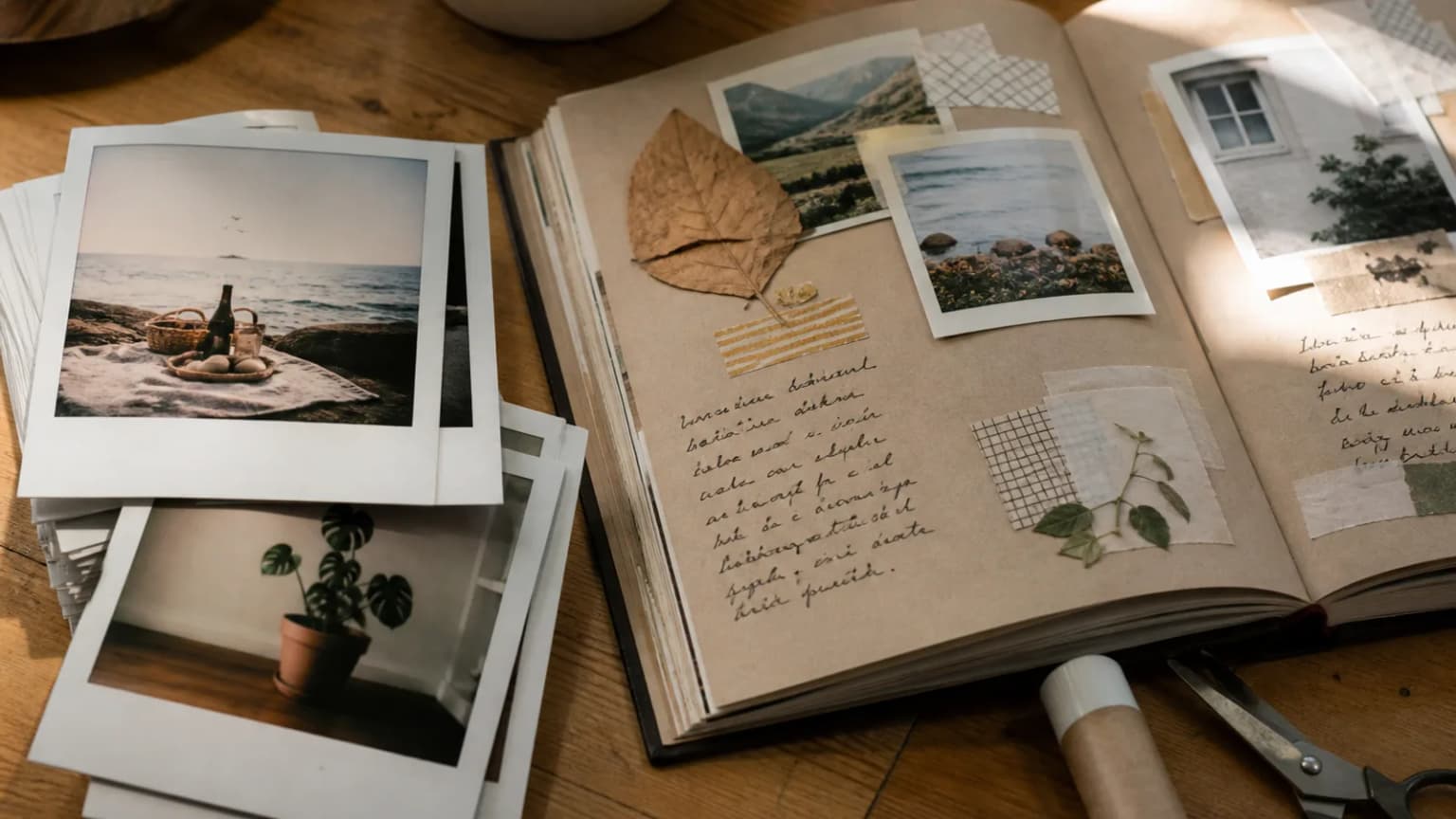
Search “Polaroid and scrapbook ChatGPT image prompts” in August 2026 and you will find two kinds of post. One is a screenshot of a pretty instant print with a caption that says “use this one prompt.” The other is a dump of twenty near-identical lines that all say “vintage Polaroid, aesthetic, 4k.” The first kind sells a mood. The second kind wastes a generation. Neither kind tells you why the model keeps drawing a square photo with a huge white slab underneath — or why the scrapbook comes out looking like a stock poster instead of a page someone actually glued.
Instant film and scrapbooking are physical crafts. Polaroid (and similar pack film) has a thick white border, a slightly cooler or greener dye fade, and a look that was never as sharp as a phone. A scrapbook has layers: kraft or cream paper, photos that overlap, tape that is slightly wrinkled, maybe a dried leaf that does not sit perfectly flat. ChatGPT Images will invent all of that if you name it. If you only write “Polaroid vibe,” you often get a modern portrait with a fake frame pasted on.
This page is twenty copy-paste Polaroid and scrapbook ChatGPT image prompts, split so you can steal one job at a time: ten instant-film briefs and ten collage briefs. They are not official ChatGPT commands. There is no `/polaroid` in the slash menu. They are art direction. After you download the PNG, compress it if you need it under an email or CMS cap — the generator still follows your OpenAI plan for quotas.
Quick steps
- Start image generation the usual way: the image tool, or “Create an image of…”. Do not wait for a Polaroid slash to appear — it will not.
- Paste one brief from the Polaroid list or the scrapbook list. Change the subject in the first sentence; leave the film or paper constraints intact.
- If you have a real photo, attach it and add: “Match this scene, keep the Polaroid/scrapbook treatment, do not invent extra people.”
- Edit one fault at a time: border too thin, colours too digital, tape too perfect, readable fake brand on the film back.
- Download, then compress or convert if the file is too heavy for email, a form, or a blog hero.
Why Polaroid and scrapbook prompts took off again in 2026
Instant film never really left Instagram, but ChatGPT Images made it cheap to fake the object: a photo that looks like it was pulled from a camera, not exported from Lightroom. Scrapbook pages followed for the same reason. Feeds were full of clean product shots. A glued page reads as personal. People started asking the model for “Polaroid of my trip” and “scrapbook of our anniversary” the way they once asked for cinematic portraits.
The catch is that Polaroid is a trademarked camera and film system. You do not need to name the brand for the look. “Instant film print, thick white border, slightly faded dyes, square image area” is enough, and it is the safer brief if you are publishing the result. Same idea for scrapbooks: describe paper, tape, and overlap. Do not ask the model to copy a specific artist’s journal or a copyrighted sticker sheet.
August 2026 did not invent a new Polaroid engine inside ChatGPT. What changed is how often people share the look, and how often thin prompts fail in public. A good Polaroid prompt is short on adjectives and long on object grammar. A good scrapbook prompt is a packing list: page colour, how many photos, what sits in the margins, whether handwriting is allowed (usually: shapes that look like writing, not real letters, unless you only need three quoted words).
What “Polaroid” actually has to specify
The classic instant print people mean is a square picture sitting above a wide white tab. The tab is where a date or a scribble would live in real life. If you omit the tab, ChatGPT often draws a thin Instagram frame. Say “integral instant print, thick white border, extra-wide bottom tab.” If you want the photo to look held, add fingers at the edge and a table underneath — otherwise you get a floating card on a studio sweep.
Colour is the other tell. Fresh instant film can be punchy. Old prints go yellow, magenta, or a bit green depending on storage. Pick one: “ten-year-old print, slight yellowing, soft contrast, not HDR.” Lighting should match a snapshot, not a beauty dish. Overcast window light, a disposable flash that is slightly too close, or late-afternoon shade all read as film. A ring light does not.
Do not ask for readable Polaroid logos, type on the back of the pack, or a famous camera body unless you own that product shot. Invented logos smear. “Generic instant camera, worn plastic, no brand marks” is enough if you need the camera in the frame as well as the print.
- Name the print object: square image, thick border, wide bottom tab.
- Name the age of the dyes: fresh, a few years, or badly stored.
- Name the light: window, on-camera flash, shade — not a studio pack.
- Keep on-print writing to a date or two words in quotes, or none.
What a scrapbook page actually has to specify
A scrapbook is a stack, not a collage poster. Posters centre one hero image. Pages have a background sheet, then photos that overlap by a centimetre, then tape or corners, then one or two objects that are not photos — a ticket stub, a leaf, a paperclip. If you skip the stack, ChatGPT will design a Pinterest graphic with perfect alignment and a motivational quote.
Paper choice changes the whole picture. Kraft brown, cream cardstock, or lined notebook paper each catch light differently. Washi tape should look slightly translucent and a bit crooked. Glue lumps and fibre from torn paper help. Ask for “hand-assembled, not a template, nothing perfectly parallel.”
Text is the usual failure. Long captions on the page will misspell. Either forbid readable words, or allow three quoted labels maximum (“JULY”, “TRAIN”, “HOME”). If you need a real story, write it next to the image in your caption, not inside the render.
Ten Polaroid ChatGPT image prompts (copy-paste)
Paste one block per generate. Swap the subject. Leave the film constraints. These Polaroid ChatGPT prompts are briefs, not slash commands.
- Create a photograph of a single integral instant-film print lying on a wooden kitchen table. Square photo area, thick white border, extra-wide bottom tab blank. The picture on the film: two friends at a seaside wall, overcast daylight, slightly faded dyes, soft contrast, fine grain. No brand logos, no watermark, no extra prints in frame.
- Create a close-up of a hand holding an instant print by the bottom tab. The print shows a houseplant on a windowsill, late afternoon, gentle yellowing as if the photo is five years old. Fingers slightly out of focus. Indoor ambient light. No logo, no readable text, no watermark.
- Create an instant-film print of a night street food stall, on-camera flash, mild colour shift toward green-cyan, thick white border and wide tab. Print rests on wet asphalt with a shallow puddle reflection. No brand names on signs, no watermark.
- Create a slightly faded instant photo of a small dog asleep on a sofa, square crop, thick border, bottom tab. Soft indoor lamp light, not studio. Tiny dust specks on the emulsion. No collar logos, no text, no watermark.
- Create an instant print of a mountain trail switchback, midday haze, low contrast like old pack film. The physical print sits in grass. Wide white tab, no handwriting. No logo, no watermark.
- Create a portrait-as-instant-print: one person in a wool coat at a bus stop, winter, breath visible, flash a little too strong. Print object has the classic thick border. Neutral expression. No celebrity likeness, no brand, no watermark.
- Create three instant prints slightly overlapping on a windowsill, afternoon light. Subjects: a coffee cup, a bicycle wheel, a doorway with plants. Each print has a thick white border. Mild dye fade, not matching perfectly from print to print. No logos, no text, no watermark.
- Create an instant photo of a birthday cake with one candle, shot from above, slight motion, domestic kitchen clutter in the corners of the film image. Physical print on a checked tablecloth. Thick border, blank tab. No branded packaging, no watermark.
- Create a travel instant print: train window, countryside blur, fingerprints on the white border as if recently handled. Soft contrast, slight light leak at one edge. No railway logos, no readable destination, no watermark.
- Create a still life: an empty instant print (white, undeveloped look) beside a developed print of a lighthouse. Both have thick borders. Overcast coastal light on a slate table. No camera brand, no watermark.
Ten scrapbook ChatGPT image prompts (copy-paste)
Same rule: one page per generate. If you need a whole album, run the brief ten times with different subjects rather than asking for twelve photos on one sheet — the model will mush faces and invent captions.
- Create a top-down photo of an open scrapbook on a oak table. Left page kraft paper. Two overlapping snapshot photos of a picnic (blanket, bread, trees), washi tape slightly wrinkled at the corners, one dried leaf, a plain paperclip. Hand-assembled, nothing perfectly aligned. No readable handwriting, no stickers with logos, no watermark.
- Create a cream cardstock scrapbook page with three small photos of a city walk (doorway, tram tracks, cafe window) arranged in a loose L. Translucent tape, a torn ticket stub with no readable city name, pencil margin doodles that are not letters. Soft window light. No watermark.
- Create a kids’ scrapbook spread: construction-paper background, two slightly crooked photos of a playground, star stickers that are generic (no licensed characters), glue shine in one corner. Photoreal paper, not a cartoon. No names, no watermark.
- Create a travel scrapbook page: map-coloured paper (invented geography, no real country outlines), photos of a harbour and a bakery window overlapping, washi in two colours, a pressed flower. No flags, no brand shop names, no readable dates, no watermark.
- Create a wedding-memory scrapbook page in muted tones: two photos (bouquet close-up, empty chairs in a garden), silk ribbon scrap, a wax seal with a simple unspecified monogram shape not matching a famous house. Cream paper. No logos, no watermark.
- Create a food scrapbook: stained recipe-card paper, two photos of homemade pasta and a tomato bowl, a wooden spoon shadow, flour dust on the page. Overlap 1 cm. No cookbook titles, no readable ingredients list, no watermark.
- Create a music-practice scrapbook: notebook paper background, photo of a guitar on a bed, photo of a metro ticket (blank design), washi, a guitar pick. Lived-in desk lighting. No brand on the guitar headstock, no watermark.
- Create a rainy-day scrapbook page: grey-blue paper, photos of wet streets and a fogged window, translucent tape, a real paper umbrella cocktail decoration (no bar brand). Slight curl at the page corner. No text, no watermark.
- Create a pet scrapbook: kraft page, two photos of the same tabby (sleeping, sitting in a box), paw-print stamp that is clearly ink not a trademark, a bit of string. Soft lamp light. No readable name tag, no watermark.
- Create a close-up of scrapbook layers only: torn photo edges, washi overlap, fibre of kraft paper, a drop of dried glue catching light. Abstract, no full faces. Photoreal macro. No watermark.
Using your own photos without wrecking the look
If the point is your picnic, attach the photo. Then tell ChatGPT to keep the people and the place, and only apply the Polaroid or scrapbook treatment. If you skip that sentence, the model will “improve” faces and move landmarks. For scrapbooks, say how many source photos you attached and that they must appear as prints on the page, not as a blended mural.
Rights still matter. Do not upload other people’s pictures to restyle unless you may use them. Instant-film and collage looks do not wash away copyright. For a public blog, prefer scenes you shot, or fully invented ones from the prompts above.
When the border looks like a digital sticker, reply: “The white border is physical paper with a slight paper tooth, not a vector frame.” When the scrapbook looks like Canva, reply: “Increase overlap, add one imperfect tape wrinkle, remove centred layout.” One defect per message.
After you download: size, format, and what this site will not do
These renders are often 1–4 MB PNGs. Fine in a folder; clumsy as a WhatsApp forward or a hero image. Compress in the browser, or convert PNG to JPG when you do not need transparency. Scrapbook macros sometimes keep more tape detail as JPEG than as a tiny WebP — check at 100% before you pick a format for print-at-home.
PixelAndPDF will not generate the Polaroid for you. There is no upload, no queue, and no “AI Polaroid” server. ChatGPT (or another generator you already pay for) makes the pixels. The tools on this site shrink or convert the file on your device. Image quotas, content policies, and likeness rules stay with the generator. If you are counting tokens for a long chat that also writes captions, the token calculator is a local estimate — it does not bill OpenAI.
- Compress Image — optional KB target for email and forms.
- JPG to WebP — lighter blog heroes.
- PNG to JPG — when the page does not need a transparent background.
Frequently asked questions
They are written briefs that ask ChatGPT Images for instant-film prints (thick white border, faded dyes) or paper collage pages (kraft, washi, overlapping photos). They are not official slash commands.
No. Type / and check your menu. Polaroid is art direction. Write the print object and the scene. A slash prefix will not unlock a film simulation.
Specify a physical print: square image area, thick border, extra-wide bottom tab, snapshot lighting, and a dye fade. Avoid “4k Polaroid aesthetic.” Attach a photo if it must be your scene.
List the stack: paper colour, how many photos, overlap, tape or corners, one non-photo object. Forbid long readable text. Ask for hand-assembled layout, not a centred poster.
Yes. Attach the files and say to keep the people and place, applying only the film or collage treatment. You still need the right to use those photos.
The model drew a sticker, not paper. Reply that the border is thick physical card with paper tooth, and that the image area should look like aged dyes, not a sharp phone photo.
On-image text is still unreliable. Allow only a few quoted words or none. Put the story in your post caption instead of inside the page.
Yes. Copy, swap subjects, and use the results under the generator’s own terms. The prompts are instructions, not a product you buy from PixelAndPDF.
It might if you name the brand. Safer: “generic instant print, no logos.” Do not request trademarked camera bodies or film packs for a commercial graphic.
Download, then compress in the browser (JPEG or WebP, optional max edge or KB). PixelAndPDF’s compressor stays on your device and does not generate the image.